01
SIGNAL PROCESSING
SPECUS separates the input into Mid and Side, then routes both through the active FIR bands. Width controls the Side already present. Stereoize adds Side from Mid in bands whose Width is above 0%.
The bands meet again before Output gain. Every band follows the same timing reference.
02
FIR CROSSOVERS
Up to three adjustable crossovers divide the signal into four bands. Complementary FIR filters form the bands from differences between lowpass responses, with the same delay on each path.
If no further processing is applied, summing the bands reconstructs the signal with that shared delay.
03
WIDTH AND MID/SIDE
Mid is the average of the left and right channels. Side is half of their left-minus-right difference. When SPECUS rebuilds the output, it adds Side to the centre for the left channel and subtracts Side for the right.
At −100%, the Side closes down to mono. At 0%, you hear the original width. At +100%, the existing Side doubles. On a mono source, there is no Side for Width to amplify.
04
STEREOIZE I
Style I generates Side with a frequency-shaped phase relationship. Its low end stays restrained around 400 Hz, and the effect eases off near 18 kHz.
Set an active band's Width above 0% to let it through. Stereoize amount sets how much generated Side joins the signal; the Mid stays at its processing level.
05
STEREOIZE II
Style II delays the generated Side behind the Mid. Choose 20 ms for a longer separation or 10 ms for a tighter one. Band Width must be above 0% for the effect to come through.
That timing applies to the Side path. The plugin's reported latency stays the same.
06
MONO COMPATIBILITY
Fold left and right to mono and the added Side cancels, leaving the processed Mid. Check the result in your mix: width and peaks still depend on the source.
07
ANALYZERS AND METERS
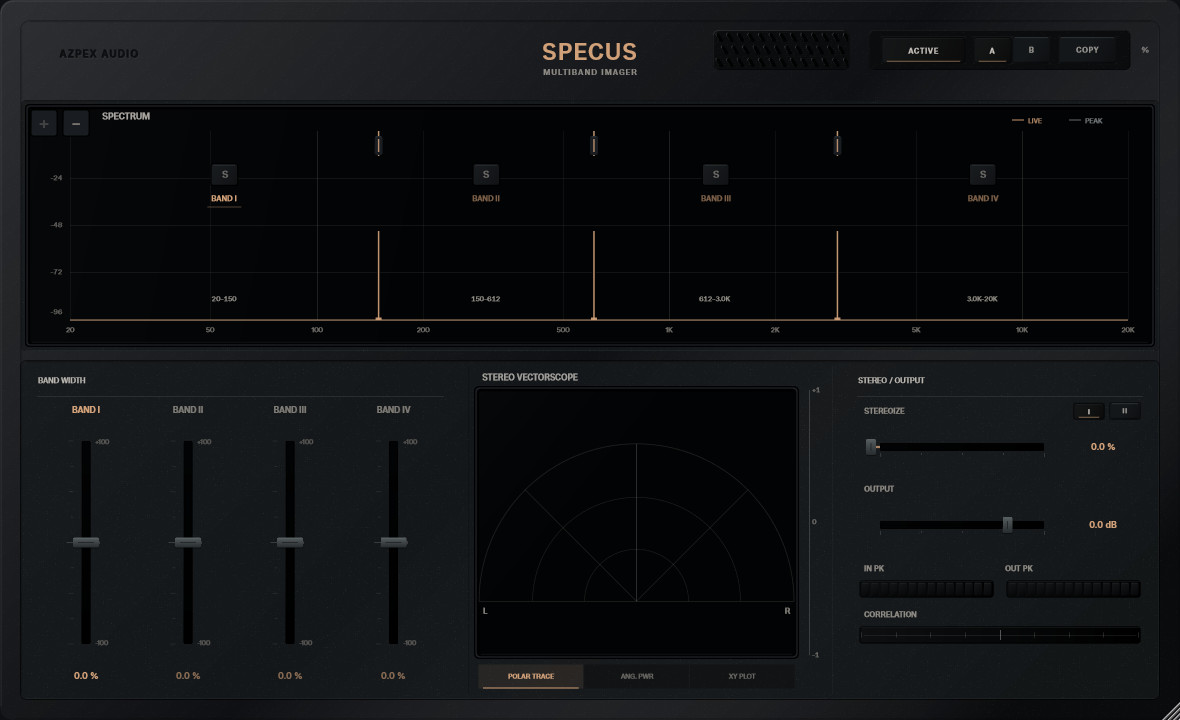
Spectrum reads the output Mid through an 8192-point FFT with a Blackman–Harris window. Stereo Vectorscope reads output left and right in Polar Trace, Ang. Pwr or XY Plot mode.
Correlation tracks the relationship between the channels. IN PK and OUT PK show sample peaks.
08
LATENCY
The FIR path adds around 10.67 ms of shared delay at supported sample rates. SPECUS reports that delay to the host for compensation.